////// Win the work
Show them the new roof on their own house
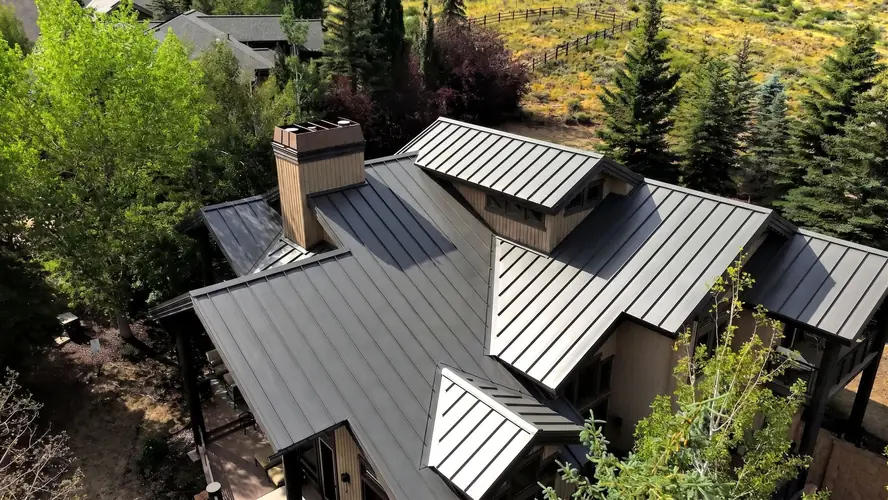
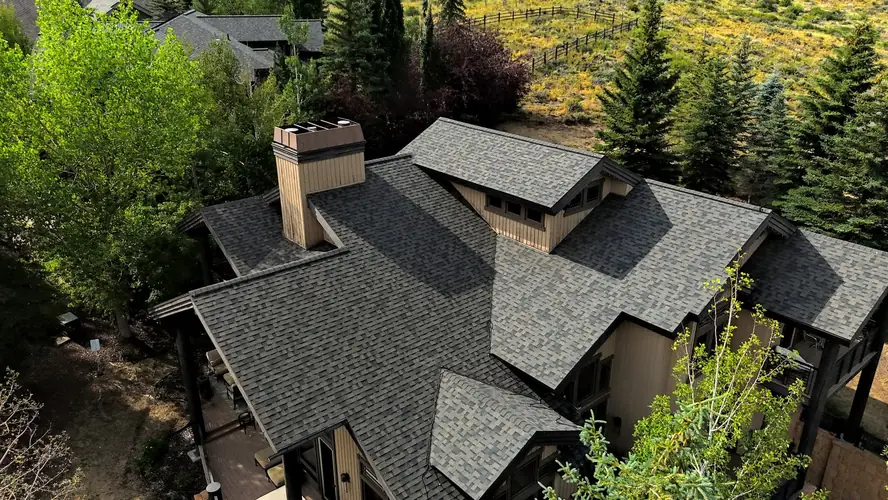
Pick a photo of the house from the job, pick a real roof product and color, and Design Studio shows the homeowner their own house with that roof on it. Drag across to compare before and after, try another color, and keep a design for every side of the house. On Pro and up.
- Uses the photos already on the job, or one you upload
- Over 300 real roof colors, plus products you add
- Drag to compare the old roof with the new one
- real roof colors to choose from
- 300+real roof colors to choose from
- a design for each side of the house
- One per sidea design for each side of the house
- every design saved with the job
- On the jobevery design saved with the job
////// What it does
Sell the roof they can already see
Not a sample board and a lot of imagination.
From the job's photos
Your reps photograph the house at the inspection. Pick one of those photos, or upload a new one.
Real products and colors
Asphalt shingle, synthetic slate and shake, standing-seam metal, tile and cedar, over 300 colors in all. Add your own products and colors too.
Their house, the new roof
Design Studio puts the chosen roof on a picture of the homeowner's own house, so they judge it on their home, not on a sample.
Before and after
Drag the divider across the picture and watch the old roof turn into the new one.
Every side of the house
Keep a design for each photo you use, named after it, so a job shot from four sides reads as four clear designs.
Then the proposal
With the roof chosen, the proposal and the signature come next, on the same visit.
////// How it works
Three steps
- Step 01
Pick a photo
One the rep took at the inspection, or a new upload.
- Step 02
Pick the roof
Choose the product and the color, and try another if they want to.
- Step 03
Show and save
Drag to compare, then save the design on the job.
////// Works with
Put Design Studio to work.
Start free with one seat and no clock on it. Add seats and tools when the jobs come in.